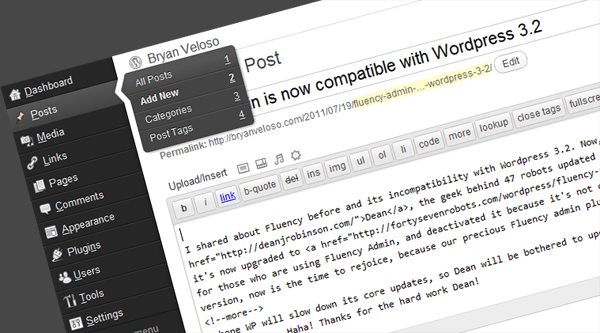
I shared about Fluency before and its incompatibility with WordPress 3.2. Now, Dean, the geek behind 47 robots updated its awesome WP-admin plugin, and it’s now upgraded to Fluency Admin 3.2. So for those who are using Fluency Admin, and deactivated it because it’s not compatible with the latest WP version, now is the time to rejoice, because our precious Fluency admin plugin is now compatible with WP 3.2!
(more…)
Tag: Wordpress
-
Fluency Admin is now compatible with WordPress 3.2
-
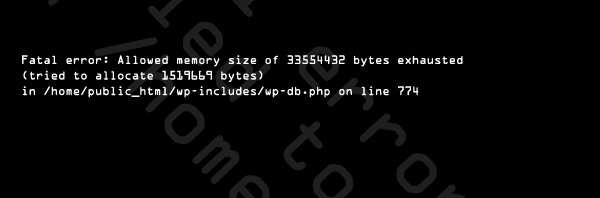
WordPress Fatal Error in wp-db.php on line 774
Wow, I just noticed that my blog is now full of WordPress fatal errors and how to fix it. I admit, I’m a certified WordPress junkie. Haha! This is my 78th blog post and my 12th WordPress error post. So… I’ll tag this one as WordPress and… I think just WordPress.
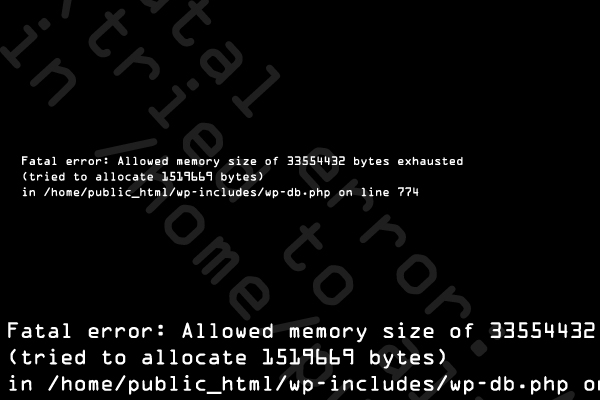
This error is clasified as 500 Internal Server Error. This simply means that the server is the main cause that’s why this error occurred. If you’re familiar with the Fatal error Allowed memory size of [RANDOM NUMBERS HERE] bytes exhausted (tried to allocate [ANOTHER RANDOM NUMBERS HERE] bytes) in /home/user/public_html/wp-includes/wp-db.php on line 774, then you’ll have an idea that the main cause of this error is your server’s memory allocation to the specific user.
(more…) -

Cannot redeclare pclziputilpathreduction() upgrade error and how to fix it!
I have a blog that wasn’t update for a very long time. Its last post was March 25, 2009. I’m still using WordPress 2.7 in that blog. After attempting to upgrade it to WordPress 3.2, I encountered the error: Cannot redeclare pclziputilpathreduction().
Now I wonder why I cannot update it. I tried figuring it by disabling my current WordPress plugins one by one, until I disabled WPAU. WPAU is the WordPress Automatic Upgrade plugin which is completely useless in the newer version of WordPress. Why? Because the WordPress core itself has an automatic upgrade feature and you don’t need to use this plugin to upgrade your blog to the latest WP version.
(more…) -
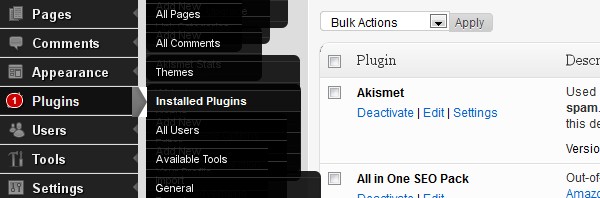
Fluency 2.4 is not compatible with WP 3.2
That’s right guys. I just tried and tested it. The latest version of the Fluency Plugin which is version 2.4 looks like a disaster in WordPress 3.2. You can activate it, but you don’t want to use it. The drop down menus doesn’t drop down, because it’s already dropped.
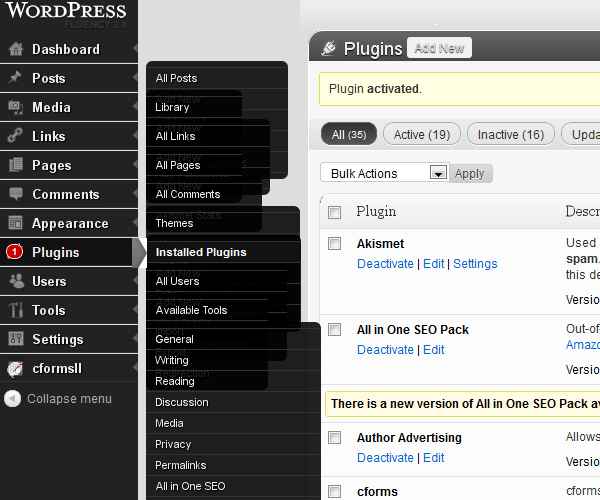
Technically, it doesn’t really drop down, but drop right. As you can see in the picture above. Let’s just hope that Dean Robinson will update Fluency 2.4 to 2.5 and make it compatible with WordPress 3.2. I hope he will not re-design it as I love the current design, and I bet a lot loves it too.
(more…) -
WordPress 3.2: Just another wordpress upgrade
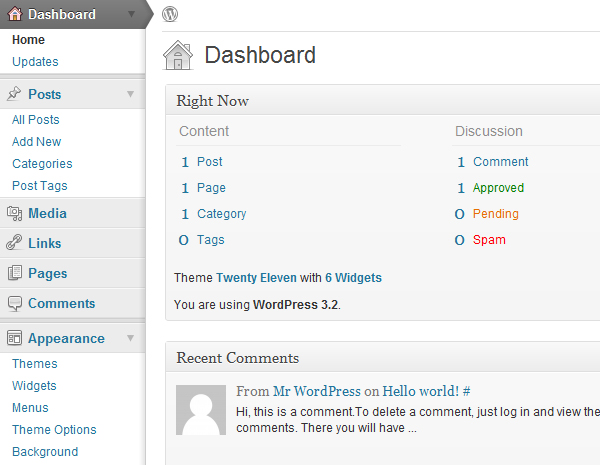
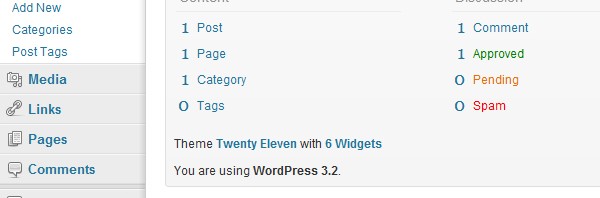
Wordpress 3.2 was recently released and you can now update your blog easily by clicking the upgrade to WordPress 3.2 link inside your WP admin. After upgrading to 3.2, you’ll notice a brand new user interface. It’s quite cooler and cleaner, because it’s newer, but I think I love to older UI much. I hope they will have an option to choose a user interface, but I guess they will never have it because they always want to change and change and change.
(more…) -
The Weird WordPress Error from GetProtoByNumber.com on Line 6
If you encountered this error, just like me, then you can’t find a solution online because when you Google the error it will just show you the sites that are currently encountering the error. Don’t be sad and don’t lose hope, I found a solution that might help you.
The error is basically like this:
Warning: file_get_contents(http://84.16.233.11/db/n.php?=YOURDOMAIN%2F&k=andsomerandomalphanumbercodehere&t=bot) [function.file-get-contents]: failed to open stream: Connection timed out in /home/vhosts/getprotobynumber.com/i/rem.php on line 6It took me a while to fix the error. I changed the theme, removed the plugins, but to no avail.
It was only solved when I deleted the tables inside my MySQL database. There are 4 tables that you need to delete. The tables with “maxblogpress affiliate thingy”. My apologies for not providing a screen shot, but you can check it inside your phpMyadmin and just drop those tables.
And after dropping those tables your WordPress site will be fixed instantly!
I hope this post helps… To those who need it!
-
WordPress PDA & iPhone Plugin is not working anymore
I just noticed this a month ago. It’s not working anymore. I’ve been using this plugin for more than 2 years already, but since last month, when I open my blog in my Blackberry and iPhone, it just displays the normal theme, not the mobile theme I made for this blog.
(more…) -
Problem with WordPress Auto-Update of Plugins, Themes, and Core Files Solved
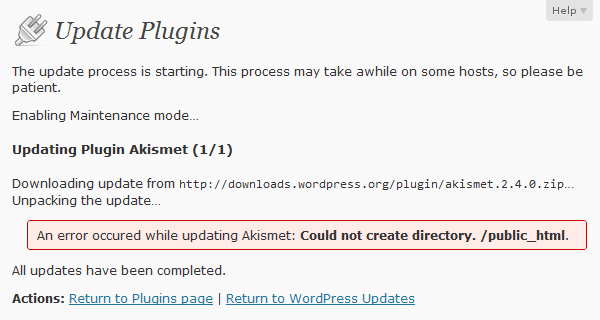
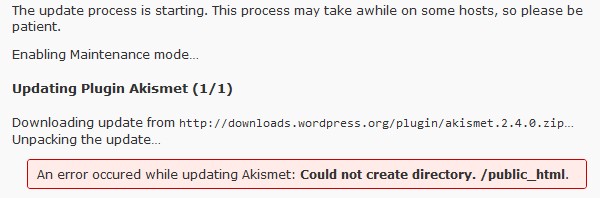
If you have a problem in automatically updating your plugins, WP files, and themes. If you need to enter your FTP host, username and password each and every time you want to update your WordPress blog. If you always encounter permission errors every time you attempt to update your WP Plugins and WP core files. If you need to CHMOD all your folders and files to 777 before you can update your WP files. If there’s an error occured while updating Akismet or a specific plugin and the error is “Could not create directory. /public_html”. Just like the screenshot below: