Category: Geekery

  • ETH to Bitfinex using Smart Contracts

    Do not send ETH to Bitfinex via Smart Contacts, if you’re unsure that your deposit will not be sent as part of an Ethereum contract execution, please find out for sure before sending your deposit. Most online wallets now use Smart Contacts, like Coins.ph. You can send to another local wallet first if you know how, then send it to your Bitfinex address.

    But to be very sure, just use Bitcoin or other cryptos with no issues like Ethereum has.

    I just found out about this after sending a few ETH from Coins.ph to Bitfinex. So be careful before sending any amount. Read, and re-read the latest instructions from Bitfinex. If you’re unsure about what you have read, then just don’t send anything.

    Cryptocurrency is old, but it’s still cryptic to many, just like me.

    UPDATE: I just contacted Bitfinex support and they said that they can manually process the transaction but it will take days to weeks. But hey! My ETH is not gone for good!
  • Single PHP file to send push notification via OneSignal REST API

    Here’s a single php file where you can send a push notification using your OneSignal account via REST API. It’s simple and straightforward using the code example at OneSignal.com. This one is more complete as the code example is just the curl_setopt code. But what if you don’t know how to POST the code from your form to send a message using the basic example from OneSignal REST API? Example in this link are all just API parameters with basic code example, no actual code example with an HTML form that will work if you copy paste it.
    (more…)

  • Gcash Verification Failed: Again, and again, and again

    Have you ever tried verifying your account with Gcash and it keeps on failing? If you’re like me who attempted to fully verify a Gcash account, but the system doesn’t accept it, then hello! You’re not alone.

    I repeatedly received an SMS saying that my Gcash verification failed. I have tried different valid IDs, but it keeps on failing.

    A few years ago, my Gcash account was verified via KYC. Then last year, there’s a new verification method, and I was asked to verify again, then it went through.

    This year, Gcash asked my to verify my account again after downgrading it to basic. Now I cannot get through. I have tried my passport, driver’s license, and UMID, but to no avail.

    I wonder why it keeps on failing. I just received an SMS that Gcash will get in touch with me to guide me though my verification, but they didn’t reach out.

    Feel free to leave a comment below if you encountered the same issue with your Gcash account.

  • Easily generate Let’s Encrypt SSL and install it to your WordPress blog in 30 seconds!

    Easily generate Let’s Encrypt SSL and install it to your WordPress blog in 30 seconds!


    If you’ve noticed, my blog is now in https. Wohoooo! SSL activated after a looong time of being lazy to generate a free SSL and install it in my server. Other hosting providers such as SiteGround, Dreamhost, and other well-known hosting providers out there, providers their customers a one-click Let’s Encrypt SSL installation that you can do in just… one click! Yes, in a few seconds you have your SSL ready.

    But what if your web host doesn’t provide a one click Let’s Encrypt installer? Just like mine? It’s still easy to install without going to the command line, using CertBot, blah blah blah (by following the instructions here https://letsencrypt.org/getting-started/). You can just generate an SSL at https://www.sslforfree.com/, verify that you own the domain by using manual verification, copy paste your CRT, KEY and CABUNDLE to your SSL/TLS manager inside your Cpanel, then you’re done.
    (more…)

  • Magento Product Page URL parameters removed mysteriously

    Magento Product Page URL parameters removed mysteriously

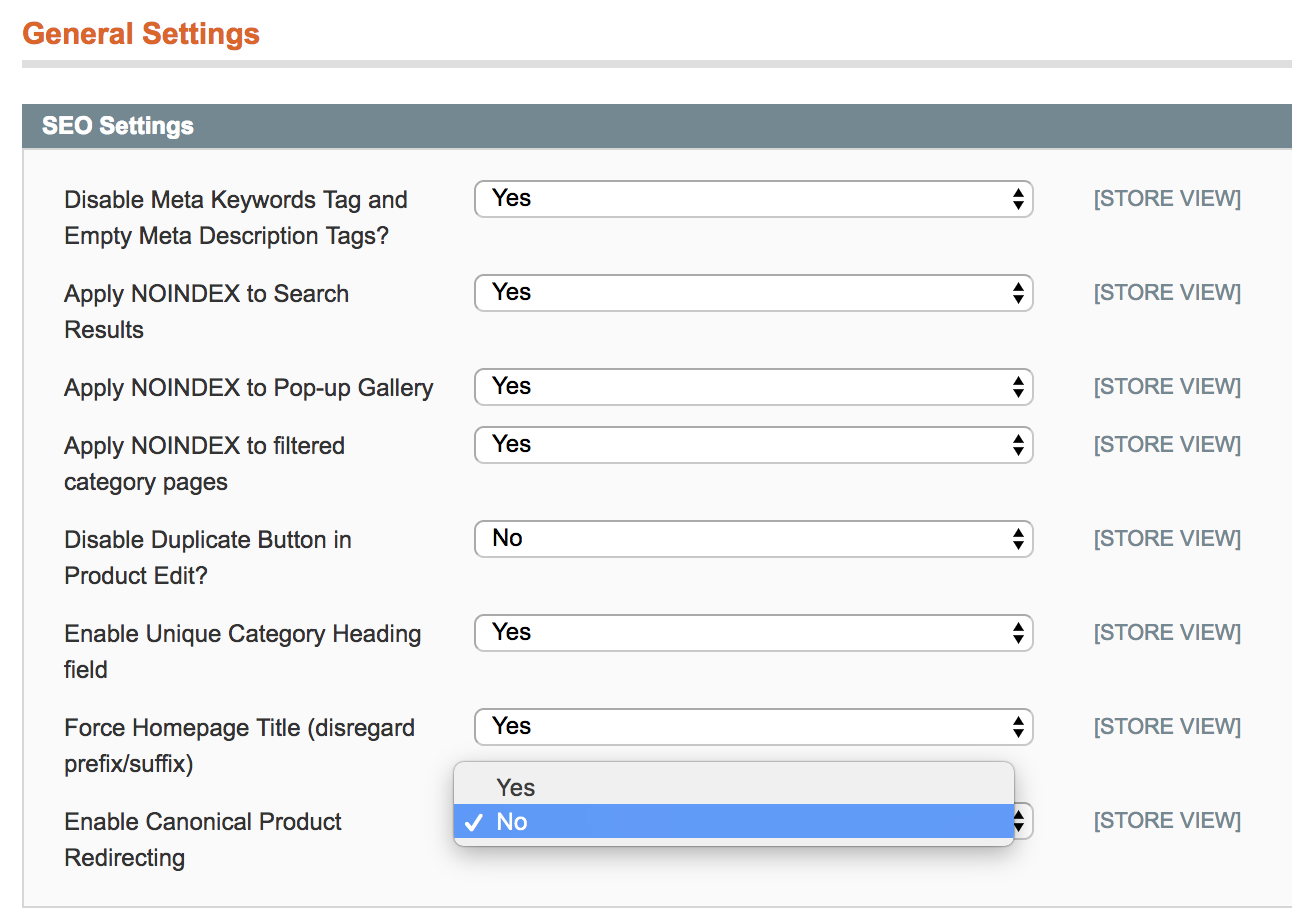
    If you encountered a weird bug where-in you’re attempting to add utm_source parameters or any URL params after a question mark, then you’re not alone. This happened to me in one of my client’s Magento sites. On the homepage and category pages, I can easily add URL parameters. But in the product page / product view page / single product page, the parameters disappear after the page loads completely. I thought it’s just some sort of javascript bug or a redirect setting in the .htaccess, but it’s not the reason.

    Maybe this also happens in WordPress with WooCommerce or other platforms that uses an SEO plugin with Canonical redirect.
    (more…)

  • JCPAL VerSkin Macos Shortcut Keyboard Cover Black Version (Limited Edition) for MacBook Pro with Touchbar


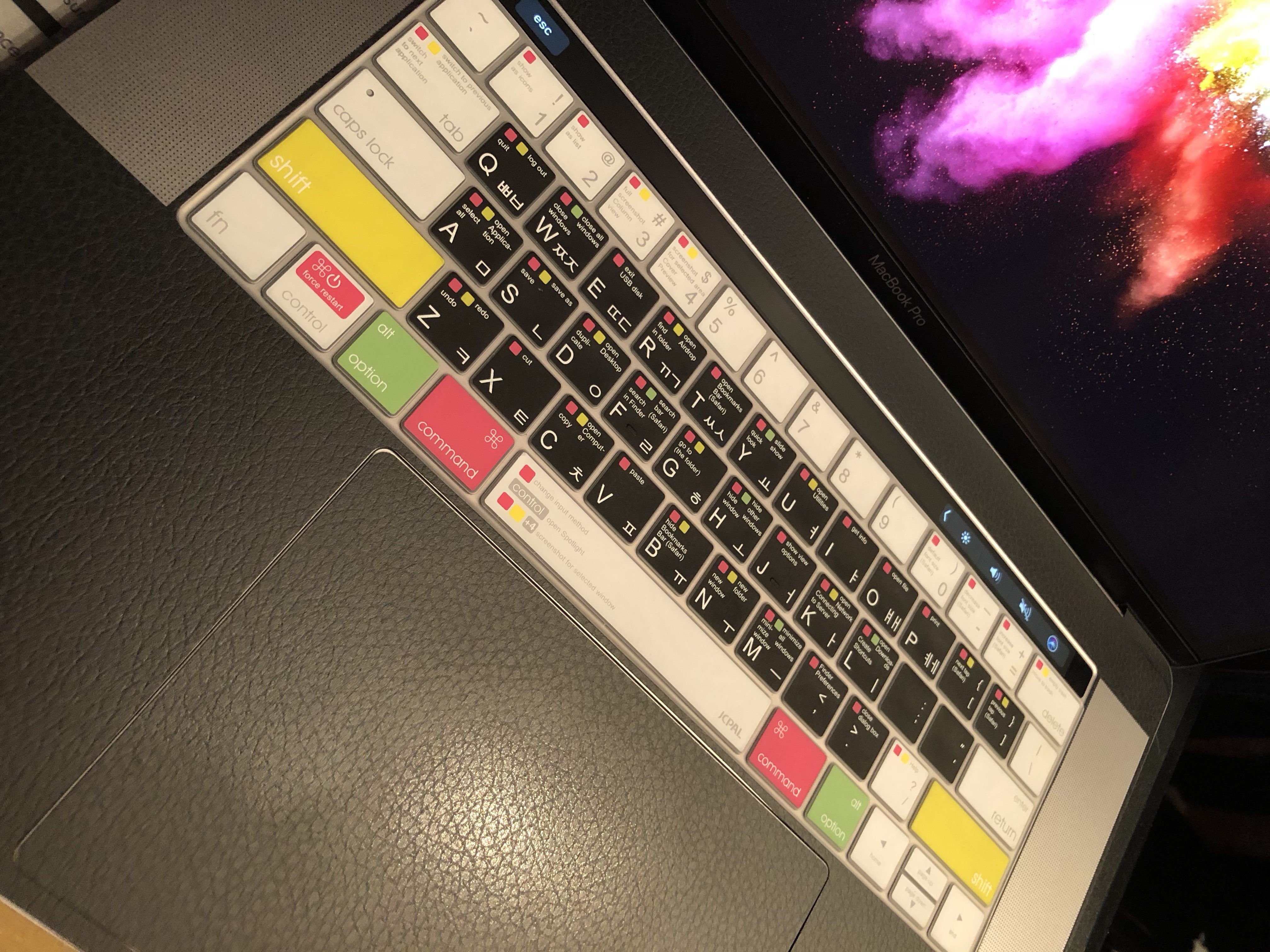
    Here’s a picture of the JCPAL VerSkin Macos Shortcut Keyboard Cover Black Version (Limited Edition) for MacBook Pro with Touchbar, because I couldn’t find anything uploaded online, so I uploaded mine. I can only find the gray version of this cover online. I got this in Frisbee store, Myeongdong, Seoul, South Korea and I think it’s exclusively available there. What’s available online is the gray one, and the application specific keyboard covers for Adobe Premiere, Photoshop, and other prominent software with lots of keyboard shortcuts.
    (more…)

  • Catacomb Folder in Mac OS

    Catacomb Folder in Mac OS

    Catacomb Folder in Mac OS with Touchbar
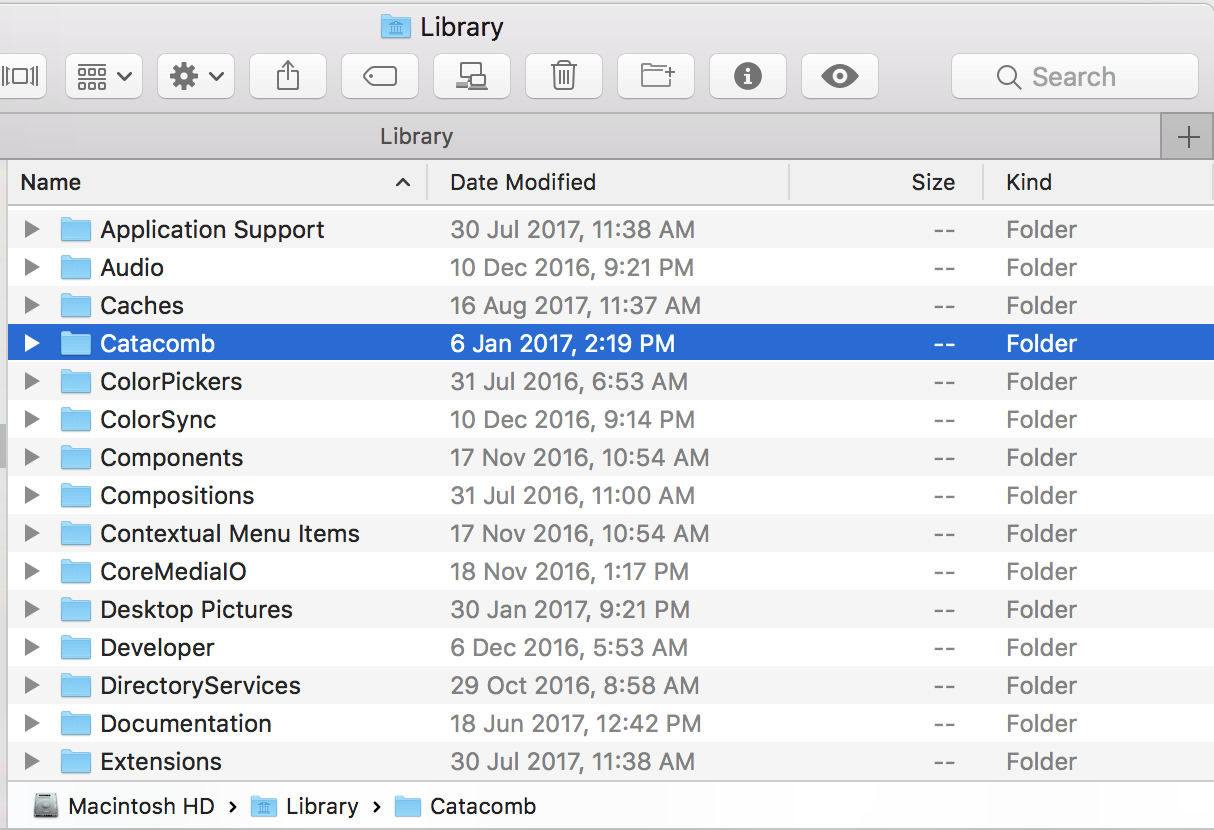
    The mysterious Catacomb folder in my MacBook Pro 15″ with Touchbar, is still… mysterious. It appeared in my Library folder last January 6, 2017 at 2:19 PM. I don’t know if this folder appear as well in other MacBook Pro with Touchbar users on the same day at the same time. If this appeared simultaneously, probably it’s a MacBook Pro with Touchbar specific update, but if it didn’t appear on all MBP with Touchbar users, then probably it’s a virus, which is unlikely, but probably.

    There are several discussions in Apple forums like this, this, and this and many more, but there’s no definite answer about this Catacomb folder. I can’t even find any documentation about it at Apple.com or any other forums explaining the exact function of this folder and why it is in my Library folder. There’s even a YouTube video that says it’s a virus, and if you google it, you’ll find instructions of how to remove it.

    I haven’t remove it yet. Maybe there’s a core function that is associated with it. So I’ll keep it there and just observer what will happen with my MBP in the next few months. It’s there since January and my Mac is functioning just fine.

  • Google Finance API stopped working as of September 2017

    If you’re using the Google Finance Exchange Rate API and it suddenly stopped working, then don’t be shocked. At first, I thought they now require an API key, but that assumption vanished in seconds after I noticed that https://www.google.com/finance/converter was redirected to https://finance.google.com/finance/converter. So if you’re using file_get_contents to fetch the latest forex rates at https://www.google.com/finance/converter, just change it to https://finance.google.com/finance/converter and it will work just fine. No other major changes, it’s just that the API is now in the subdomain.

    Maybe there are announcements this month, but I’m not subscribed to any. I googled “google finance forex API september 2017” but it seems nobody posted or blogged about it or asked about it in Stack Exchange. So, that’ it. I just want to share it!