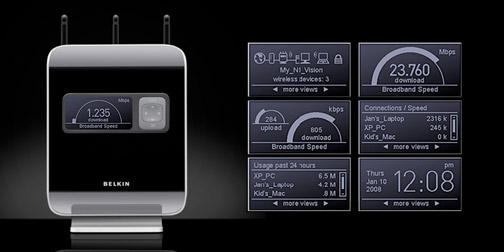
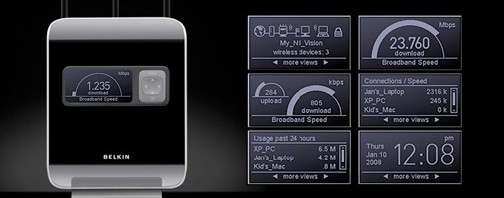
I recently replaced my Linksys WRT 310N Wireless router with the new Belkin N1 Vision Wireless Router, because of it’s super cool interactive display that shows how many computers are connected to the router, the maximum and current speed of my Internet Service Provider, the current upload and download speed that I’m using, and the total uploaded and downloaded data of each device that is connected to my router.
(more…)
Blog
-
How To: Enable UPnP on Belkin N1 Vision Wireless Router
-
eBay is full of fake 32GB SD, flash, and memory cards
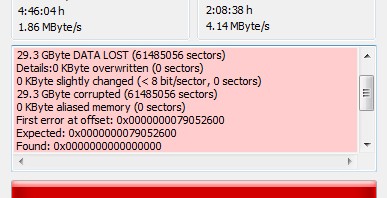
After 2 weeks of waiting for my 32GB SD card from Hong Kong, I finally received it. Too bad, I waited for nothing, because I bought a fake SD card. It’s really deceptive, because if you check it in your PC or MAC, you’ll see that total capacity of 32GB.
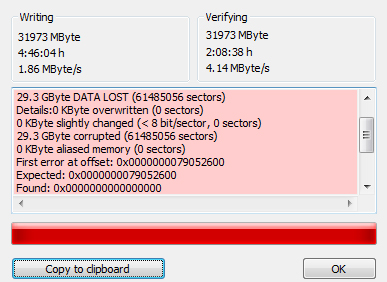
But don’t let you eyes deceive you! If you’ll use the card and you exceeded 2GB, all of your other files will be corrupted. Because it’s really 2GB not 32GB. They just re-programmed or hacked it so that your computer will show you that it’s 32GB, but its total capacity only 2GB.
(more…) -

IE9 beta is now available for test drive!

The latest version of the world known Internet Browser that sucks after Firefox and Chrome dominated the world wide web has attempted to take back its place in the browser war. I recently downloaded IE9 beta 64-bit for Windows 7 and I can say that it has a potential to be loved by web enthusiasts, again.What’s new with Internet Explorer 9? You can read more about it here.
IE9 beta is only available for Windows 7 and Windows Vista 32-bit and 64-bit editions. And I don’t think that they will release it in other older versions of Windows.
It’s now faster, better, lighter and smarter! Try it now and brag to be one of the first to experience the beauty of the web!
You can also read more about IE9 at Long Zheng’s blog.
-
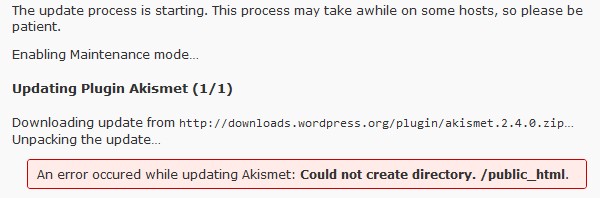
Problem with WordPress Auto-Update of Plugins, Themes, and Core Files Solved
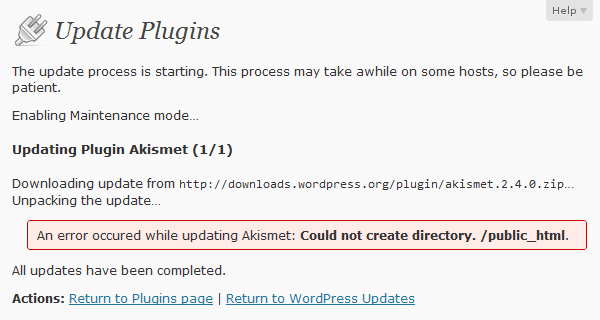
If you have a problem in automatically updating your plugins, WP files, and themes. If you need to enter your FTP host, username and password each and every time you want to update your WordPress blog. If you always encounter permission errors every time you attempt to update your WP Plugins and WP core files. If you need to CHMOD all your folders and files to 777 before you can update your WP files. If there’s an error occured while updating Akismet or a specific plugin and the error is “Could not create directory. /public_html”. Just like the screenshot below:
-

Top 288,945 sites in the world visualized with favicons
Others are saying that the top 300,000 websites in the world are visualized with favicons. But why my title is 288,945? Because I want to be specific, and there are only 288,945 favicons in this poster.

A large-scale scan of the top million web sites was performed in early 2010 by computer David Fifield and Brandon Enright who are bored one day and suddenly had an idea about collecting the favicons of top 1,000,000 websites around the world in a single poster. But these nerds failed to visualize all the top 1 million websites. Only 328,427 unique icons were collected, of which 288,945 were proper images.
(more…) -

Sharing of images has never been this cool!
If you want to explore a new way of sharing pictures online with your friends and family, you better try this new web startup from Twidl Inc.. It’s the coolest way to share pictures online and tweet it right away. You can sync the image you shared with your Facebook, Twitter, Flickr and Plurk account.

The UI is undoubtedly cool, very modern, and user friendly. The upload speed images is extremely fast. Viewing your uploaded images is faster compared to other image hosting sites, like TwitPic or TweetPhoto. Everything about PicLyf is so cool!
(more…) -

Audi O: Coolest Concept Car I’ve Ever Seen!
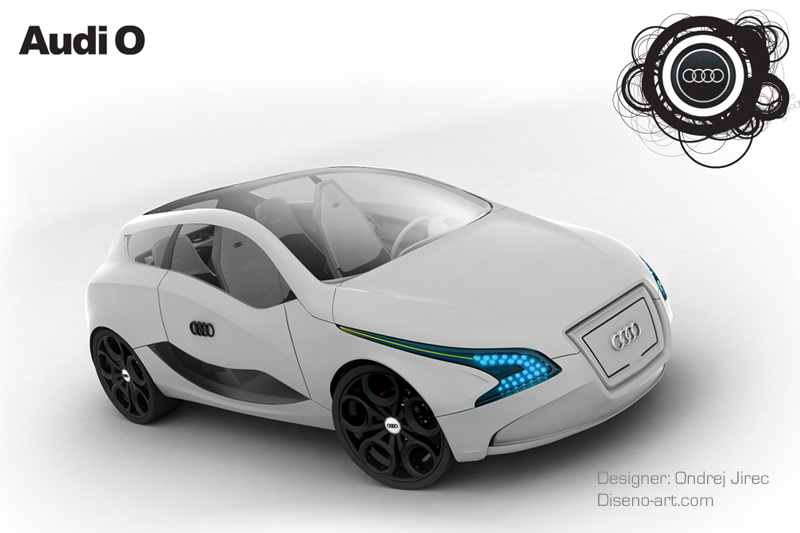
While browsing the world wide web and blog hopping throughout the vast blog sphere, I stumbled upon one blog that writes about cars. I forgot the URL, but in that blog, I saw a very ergonomic concept of a futuristic car. The images on that site are quite low-res that’s why I googled Audi O to find out more pictures, preferably high resolution images of Audi O.
(more…)